I wanted to have a brief forage into three dimensional data visualisation. The photos on this website provided me with a quick way to build a dataset: digital cameras store plenty of metadata in each photo, in addition to the image itself.
I put together a little PHP script that reads the “camera settings” data from every photo on this site and collates it into a flat database. An R script then takes two columns from the database and produces 2D density plots, (no longer) shown below. An initial attempt to produce full 3D animations using R was hampered by a resource leak in the RGL graphics package. This was resolved by having the R script render only one frame rather than the whole animation. A separate BASH script calls the R script repeatedly to render each frame of the animation, and then to coalesce the frames.
This visualisation allowed me to see what camera configurations I tend to use the most, information which has no real value to me besides curiosity at the moment. It has also persuaded me to move away from using R for analysis, it is such a painful environment for doing anything remotely graphical…
- PHP script: Collate EXIF data => database: collate-stats.php
- R script: Plot 2D heatmaps from database: plot-stats.r
- R script: Plot 3D frame of animation: plot-3d.r
- BASH script: Use plot-3d.r to create full animation: plot-3d.sh
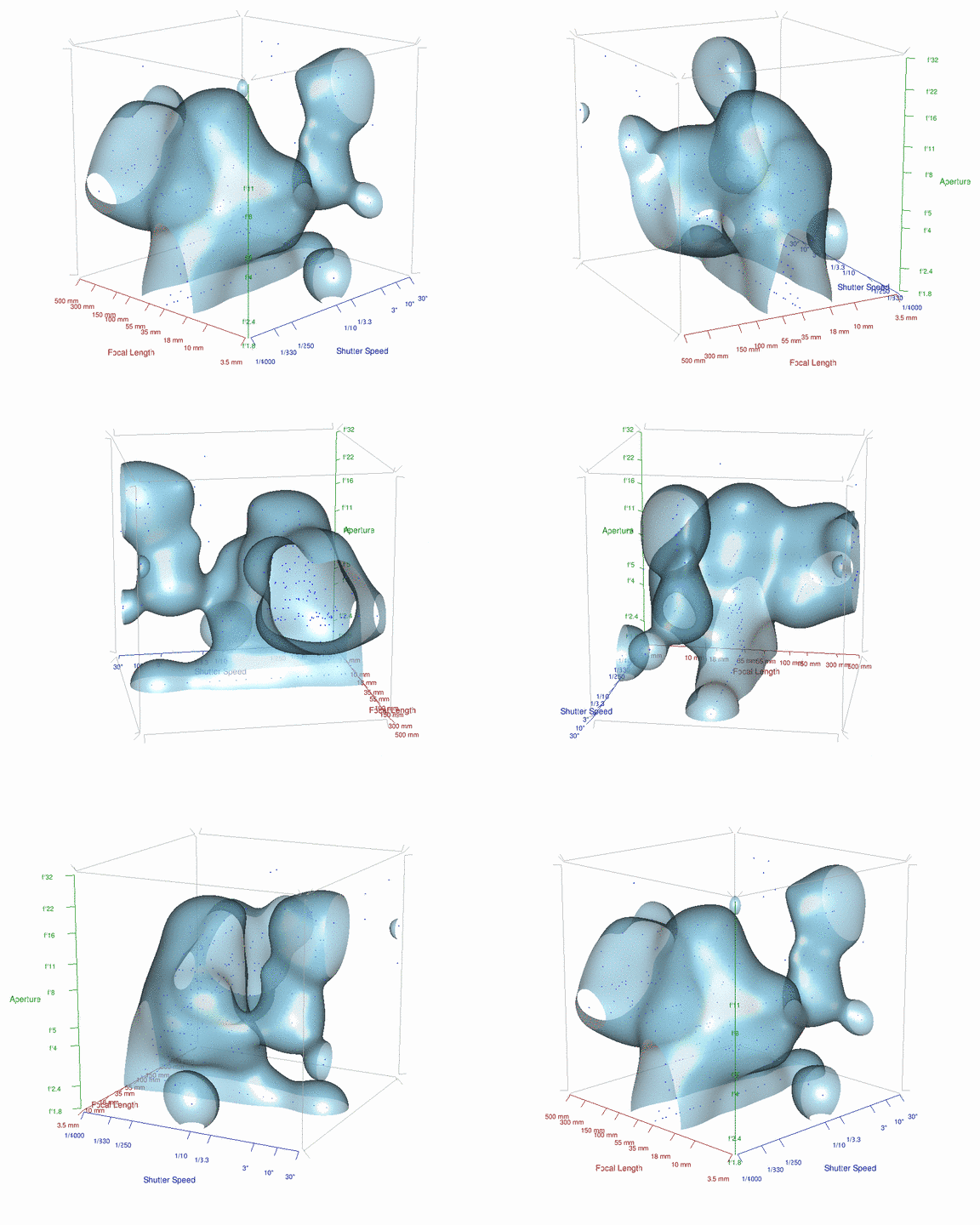
The faster shutter speeds are enabled by the reasonable sharpness offered by my 35mm prime at its open end, while the blob around f/4 to f/5 is due to the widest ends of my Sigma 150-500mm, Sigma 10-20mm and (now sold) Nikon 55-300mm. The blobs centered at 3″/f10 are probably from waterfall long-exposures, jupiter and the slower shutter speeds around the f/1.8 aperture region will be from fibre-optic art. The cluster from f5/150mm-f6.3/500mm is from using the big Sigma wide open, with the cluster around 500mm being mostly from low-budget astrophotography with the same lens. It’s interesting how easily trends can be visualised with just a little bit of crude scripting.
The end result of all this is that I abuse the open end of my f/1.8 prime far too much, when I could probably get sharper, less hazy photos by resorting to a slightly slower shutter instead…